Features
Everything between the enquiry and the payment.
Aimee One follows the job the way you run it. Win the work, run it on site, buy and cost it, then claim and get paid, without copying anything from one system to the next.
Win the work
Answer enquiries quickly and send estimates that are right the first time.
Enquiries
Record a new enquiry in under a minute, with where it came from and what happens next. Follow-ups are set so none go cold.
Surveys
Survey from a phone or tablet. Measurements, notes, photos and signatures are saved straight to the enquiry, ready for the estimator.
Estimates and quotes
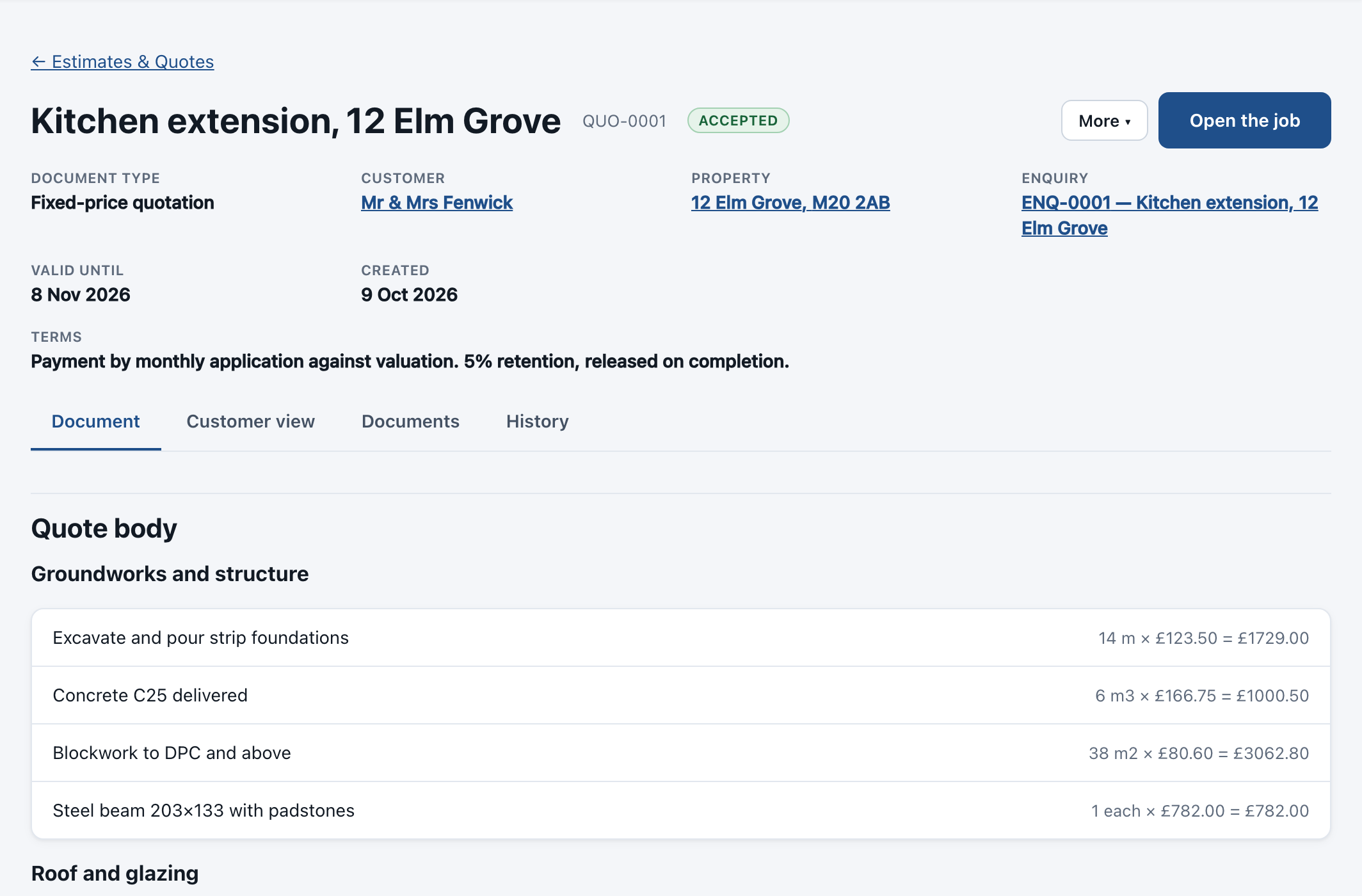
Sections and subsections, labour, materials and plant, margins on a line or across the quote, and VAT worked out for you.
Your own price library
Bring your rates in from a spreadsheet and reuse them on every estimate. Change a rate once and new quotes pick it up.
Customer copy and approval
Send a clean customer pack with your logo. Customers accept online, and every version of the quote is kept exactly as it was sent.
Tenders
Price a tender in a workbook, issue it, and keep the issued version on the record for when the result comes back.
Run the job
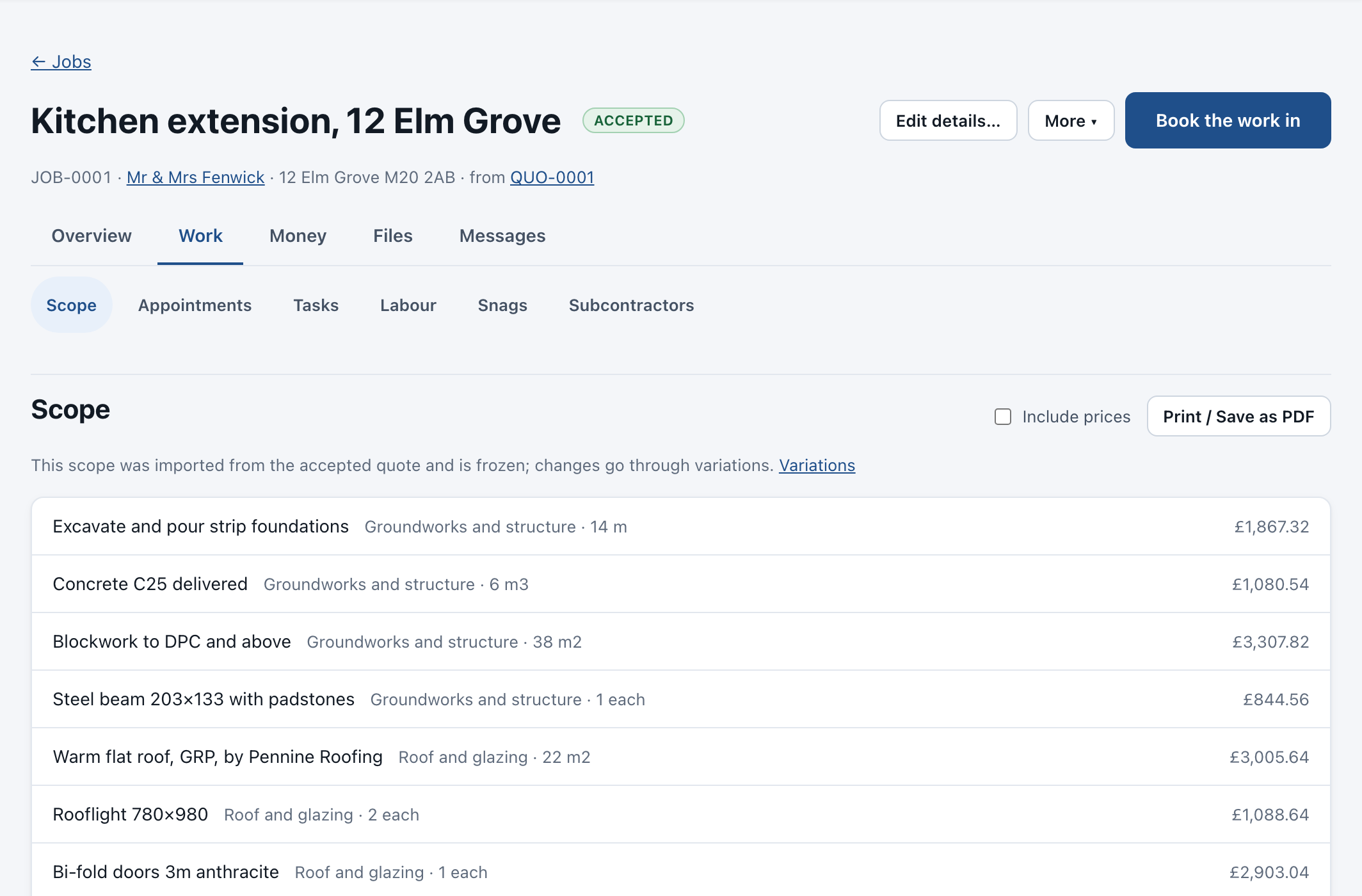
The accepted quote becomes the job, and everyone works from the same record.
Job board
Every job’s stage at a glance, from Accepted through to Invoiced, so nothing sits forgotten.
Schedule and diary
Plan people across jobs on one calendar and a day-by-day labour schedule, with approved leave taken into account, and share each person’s day with them.
Tasks and job sheets
Checklists for each visit, ticked off on the phone, with photos added as the work is done.
Timesheets
Time booked against jobs, approved by the office and costed at each person’s rate. Price work is handled too.
Variations
Record extra work as it comes up, price it and get it approved, so it is never forgotten at the final account.
Snagging, documents and photos
Numbered snag lists, certificates and forms produced from the job, and every photo and file kept with it.
Buy and cost
Every pound spent lands on a job, checked against what you ordered.
Suppliers and purchase orders
Raise purchase orders against a job, send them to the supplier and record what has been delivered.
Supplier invoices read for you
Upload a supplier’s invoice as a PDF or a photo. The supplier, the lines and the totals are read for you to check.
Matched to the order
Each invoice is matched to its purchase order and delivery. Part invoices and invoices across several orders are handled.
Duplicates and differences flagged
A repeated invoice, a price that has crept up or a quantity that doesn’t match is stopped before anyone approves it.
Subcontractors
Keep subcontractors on record, with their insurance and cards, assign them work and put what they charge against the right job.
Job costing
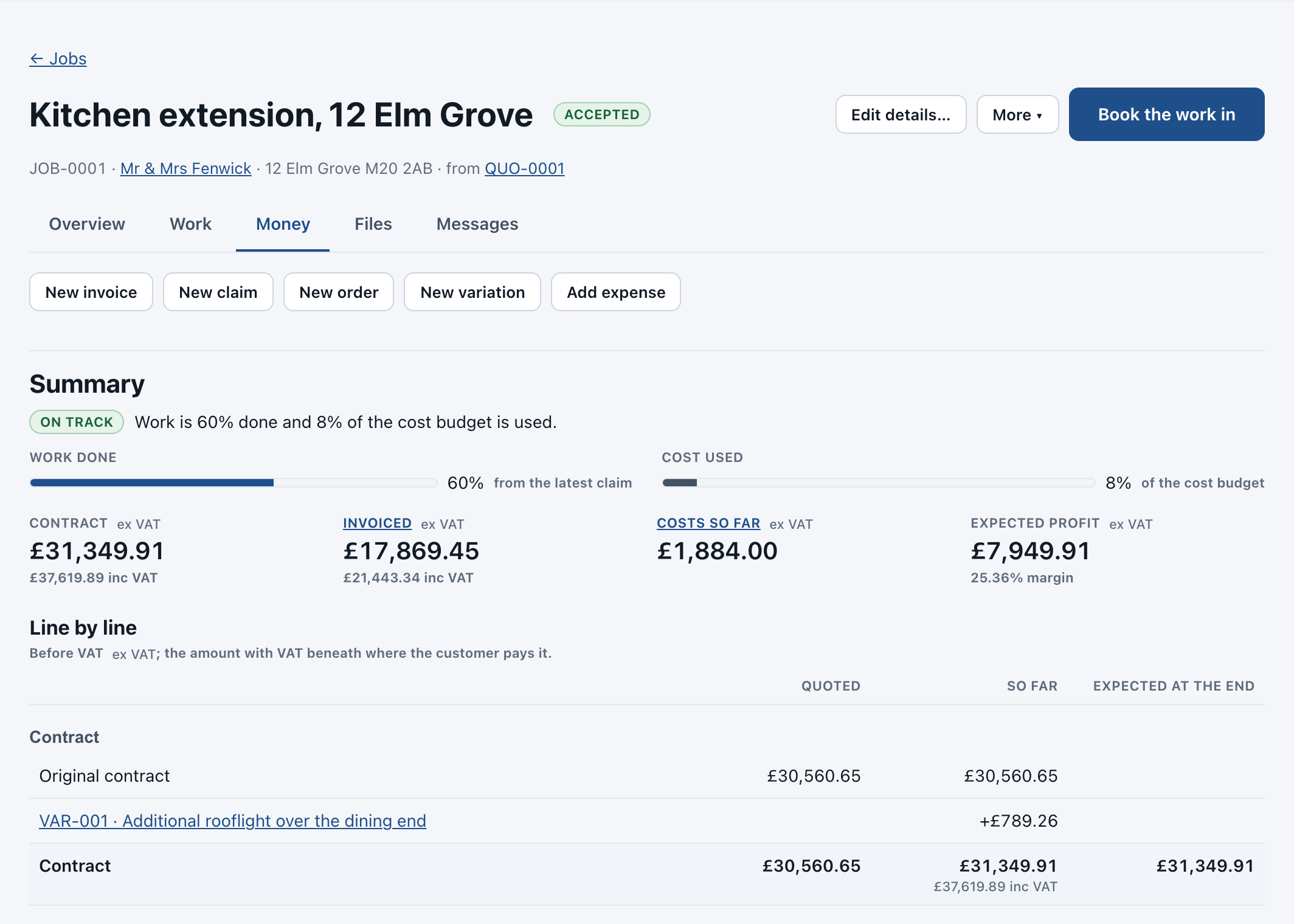
Estimated against actual for labour, materials, plant and subcontract, live on every job, with cost centres for the office.
Get paid
Claim what you’ve done, invoice what’s certified and see what’s owed.
Progress claims, five ways
By overall percentage, line-item percentage, line-item value, milestone, or time and materials.
Cumulative, every time
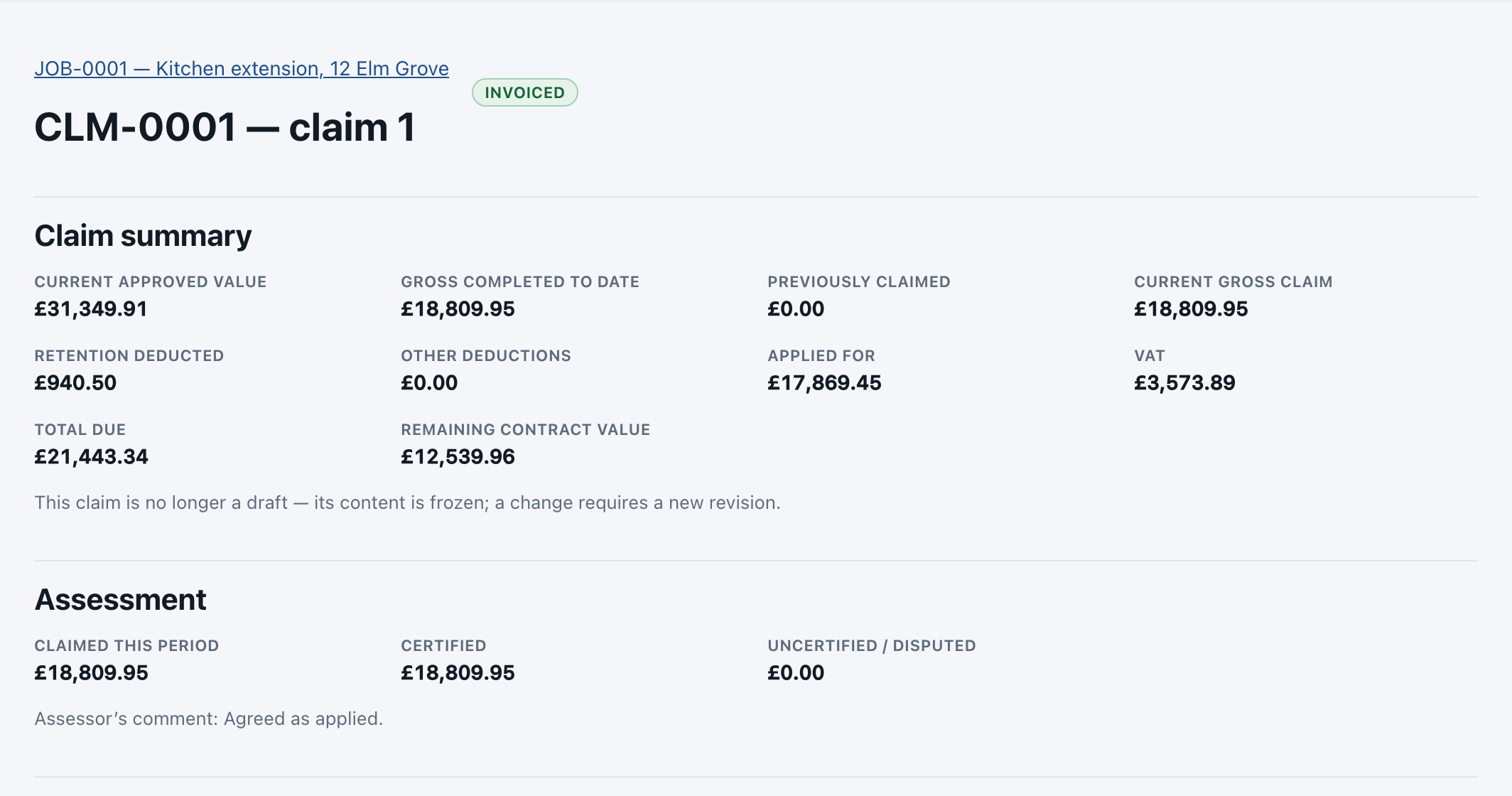
Each claim shows what was claimed before, this claim and the total to date. Submitted claims are locked; changes make a new revision.
Certification and retention
Record what was certified, the retention held and when it is released.
Invoices that fit UK rules
Invoice from a certified claim, the quote, completed work or payment stages, with CIS deductions and the domestic reverse charge.
Card payments and reminders
Customers can pay an invoice by card online through Stripe. Overdue reminders and statements go out on schedule.
Xero, QuickBooks or Sage
Invoices, credit notes, bills and payments go to your accounts package once each, never twice, with the job carried across.
Customers and messages
One record for each customer and property, and every message kept with the job.
Customers and properties
Homeowners, landlords, businesses, insurers and agents, each with their properties, contacts and full history.
Customer portal
Customers see their quotes, invoices and documents online in your colours, and accept or pay from there.
Email and texts
Send quotes, invoices and job updates by email or text from the job, with a copy of every message kept.
Dashboard and reports
What needs doing today, quotes to chase, work in progress, money owed and profit by job.
Insurance reinstatement
The claim, the adjuster and the evidence travel with the job from first visit to final account.
Claim details
Insurer, policy and claim numbers, the excess, the loss adjuster and the policyholder on one job.
Peril types
Escape of water, fire, storm, flood, impact, theft and more, so work is recorded the same way each time.
Evidence packs
Photos, moisture readings, reports and certificates gathered from the job into a pack you can send.
Schedules and authorisations
Schedules of work, variations awaiting authority and certified claims, each version kept for the file.
AI that does the reading. You make the decisions.
AI only sees what the person asking is allowed to see, and nothing it suggests is used until a person approves it. Your company chooses whether AI is switched on at all.
Ask Claude on a quote
Ask about an estimate, its drawings and documents. Suggested lines and prices are added only when you approve them.
Document reader
Reads supplier invoices and other documents and fills in the details for you to check.
Grow your price library
Turn a priced line into a library item you can use again, built up from your own rates.
What AI will never do in Aimee One
- Approve a supplier invoice or change its value
- Invent a purchase order number or mark goods as received
- Override a duplicate warning, tolerance or approval limit
- Send anything to a customer without a person approving it
AI use comes from your plan’s monthly AI credits. See how credits work
See it with your own jobs.
Start a free trial, or book a short walk-through with us.